
Where Do I Find Listings I'm Co-Marketing?
Co-Marketing Listings are properties listed by other agents on PropMall that you’re collaborating on to market and close deals together.
This section will guide you step-by-step on how to view your Co-Marketing Listings within the PropMall platform.
Step-by-Step
Section titled “Step-by-Step”Make sure you’re already logged in to PropMall.
Click on the “Me” menu—located at the bottom on mobile or at the top on desktop.
You’ll be taken to your Profile Page.
Select the “Co-M” tab as shown below.
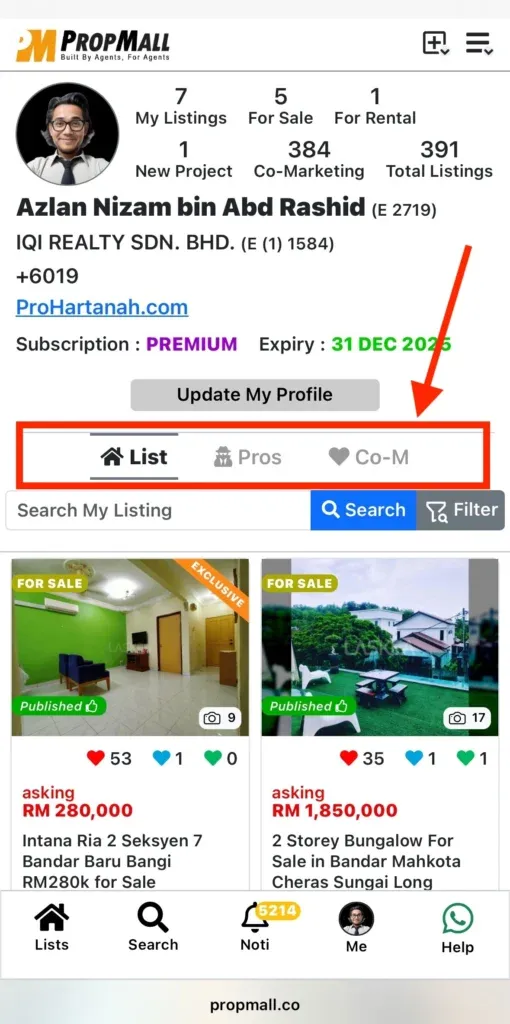
Here, you’ll see a list of all the listings you’ve chosen to co-market on PropMall.
Click on any listing to view its full details.
Was this helpful?