
How Do I Edit a Listing?
Please ensure that you are logged in to your PropMall account.
Click on the “Me” menu—found at the bottom of the screen on mobile, or at the top on desktop.
You’ll be directed to your Profile Page, where you can view all the listings you’ve submitted to PropMall under the “Listing” tab.
Click on the listing you wish to edit. PropMall will then display the listing’s information page.
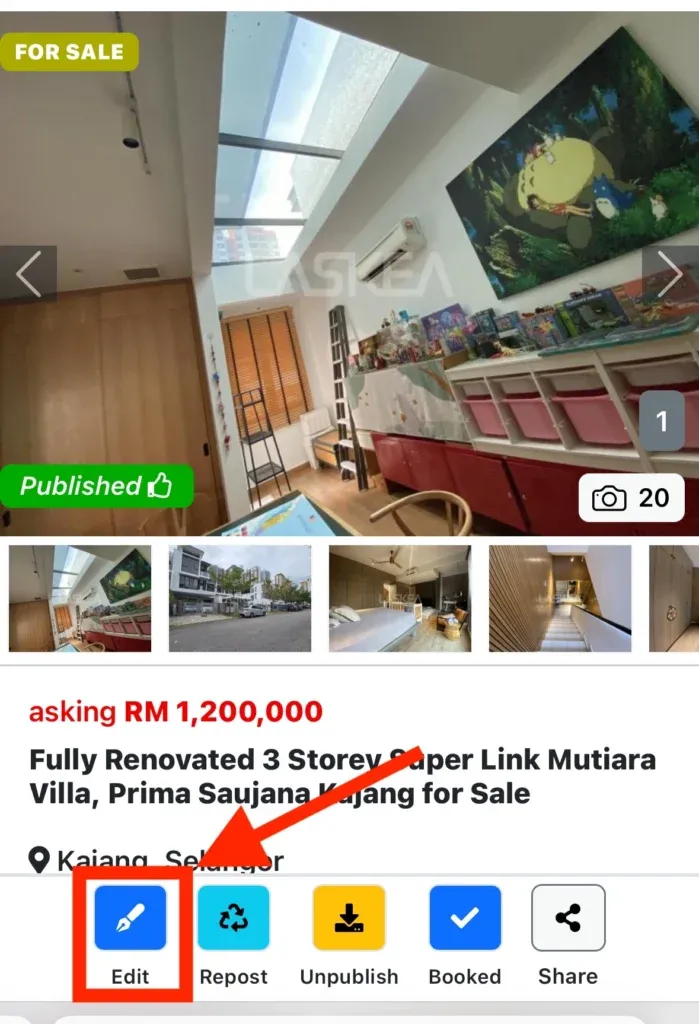
Click the “Edit” button at the bottom of the listing information page. You’ll be taken to the “Edit Listing” form.
Update the listing details as needed.
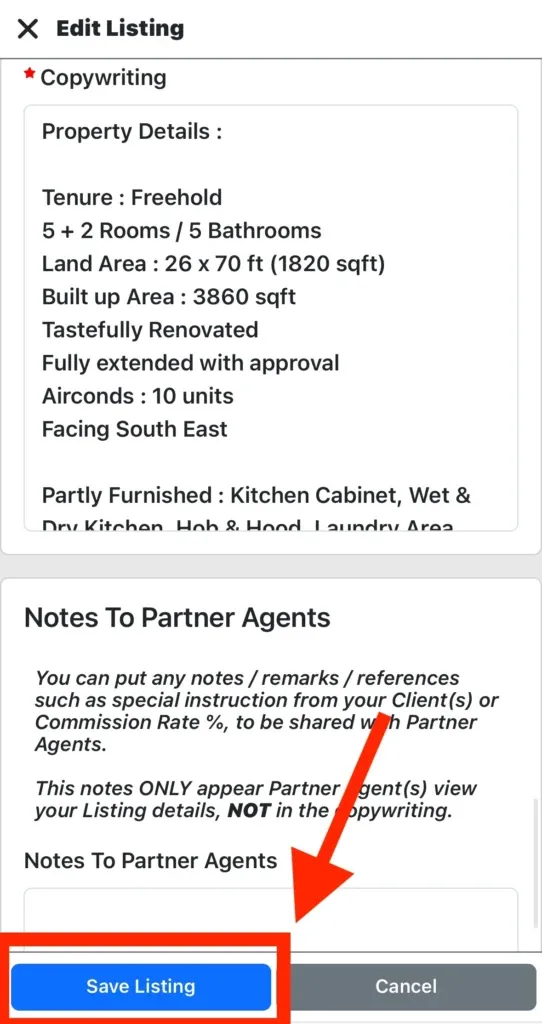
Once you’re satisfied with the changes, click the “Save Listing” button at the bottom of the form to save your updated listing.
The updated listing will be available on your Profile Page.
Was this helpful?