
How to Update Your Profile
Login into PropMall.
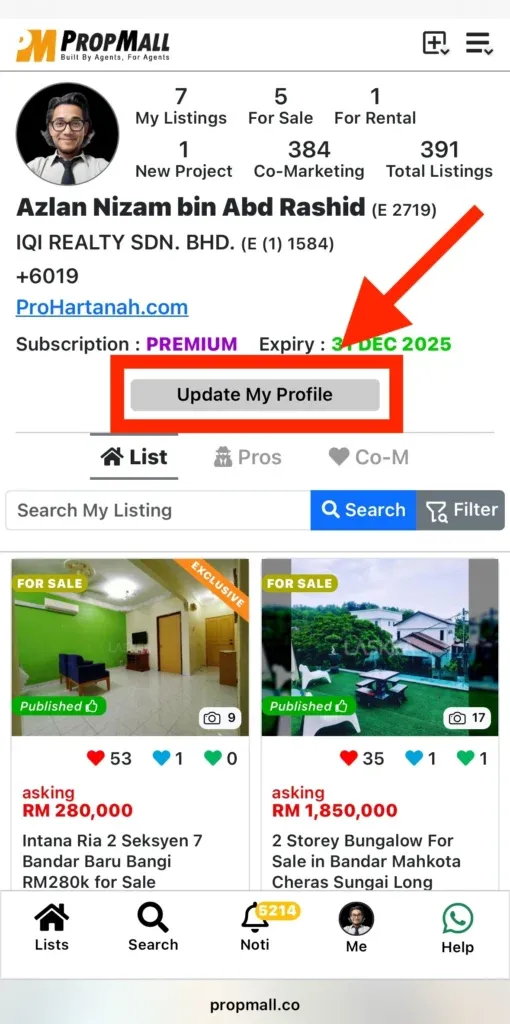
Click on the “Me” menu—located at the bottom of the screen on mobile, or at the top on desktop.
You’ll be directed to your Profile Page. Click the “Update My Profile” button to proceed.
Enter your updated details in the fields provided.
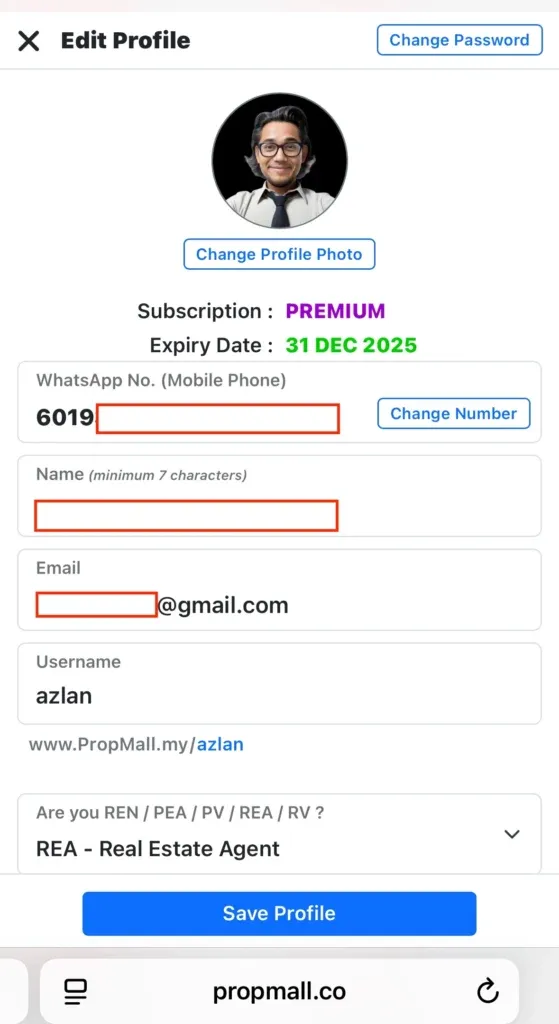
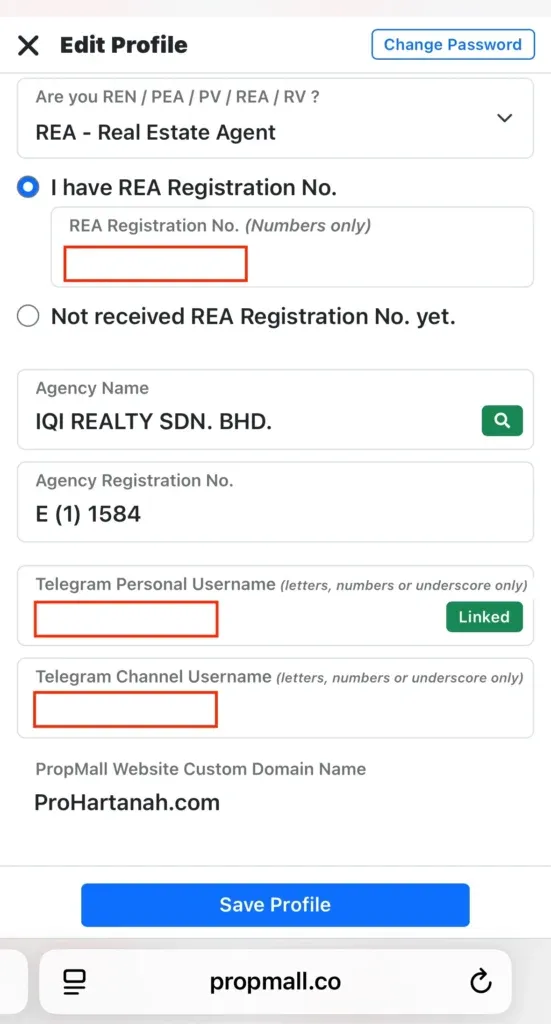
Finally, click the “Save Profile” button to save your updated information in PropMall.
Was this helpful?