
How Do I Change My Password (While Logged In)?
Step-by-Step Guide
Section titled “Step-by-Step Guide”Once you’re logged in to PropMall, click on the “Me” menu—located at the bottom of the screen on mobile, or at the top on desktop.
You’ll then be directed to your Profile Page.
Select the “Update My Profile” button.
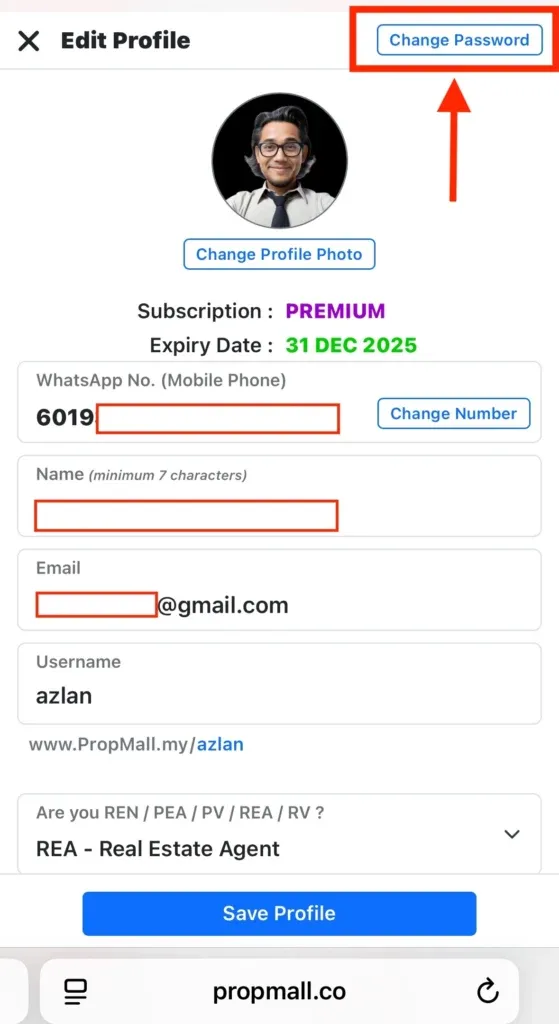
Click on the “Change Password” button as shown in the picture below.
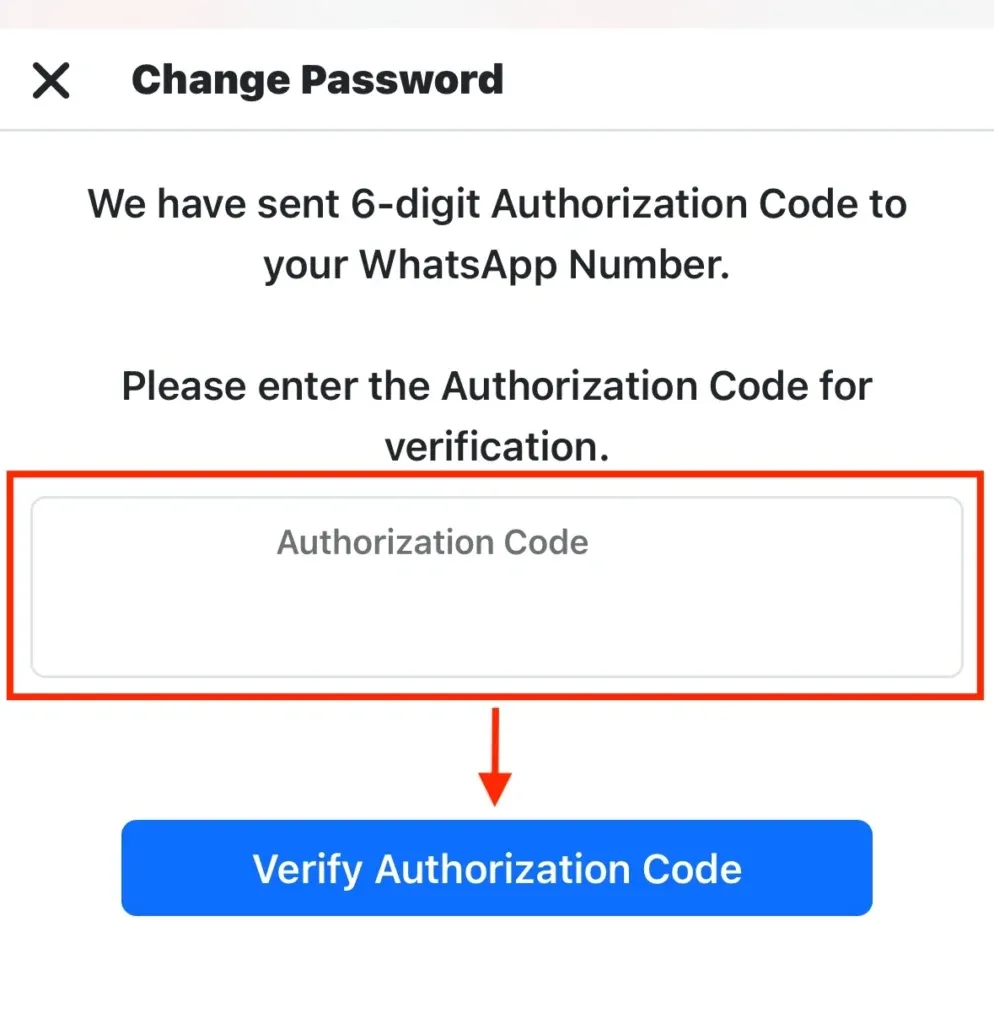
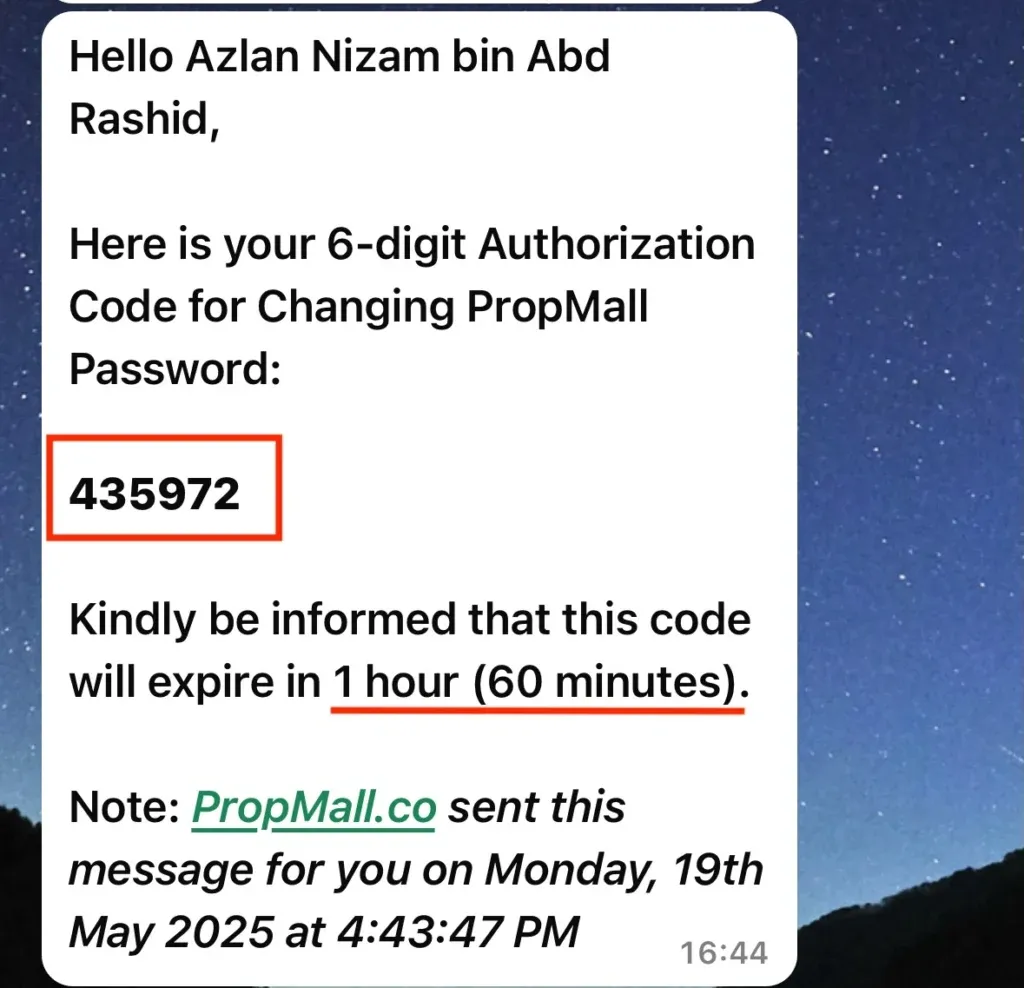
Verify your WhatsApp phone number. You will receive an authorization code via WhatsApp.
Next, enter your current password, followed by your new password and its confirmation.
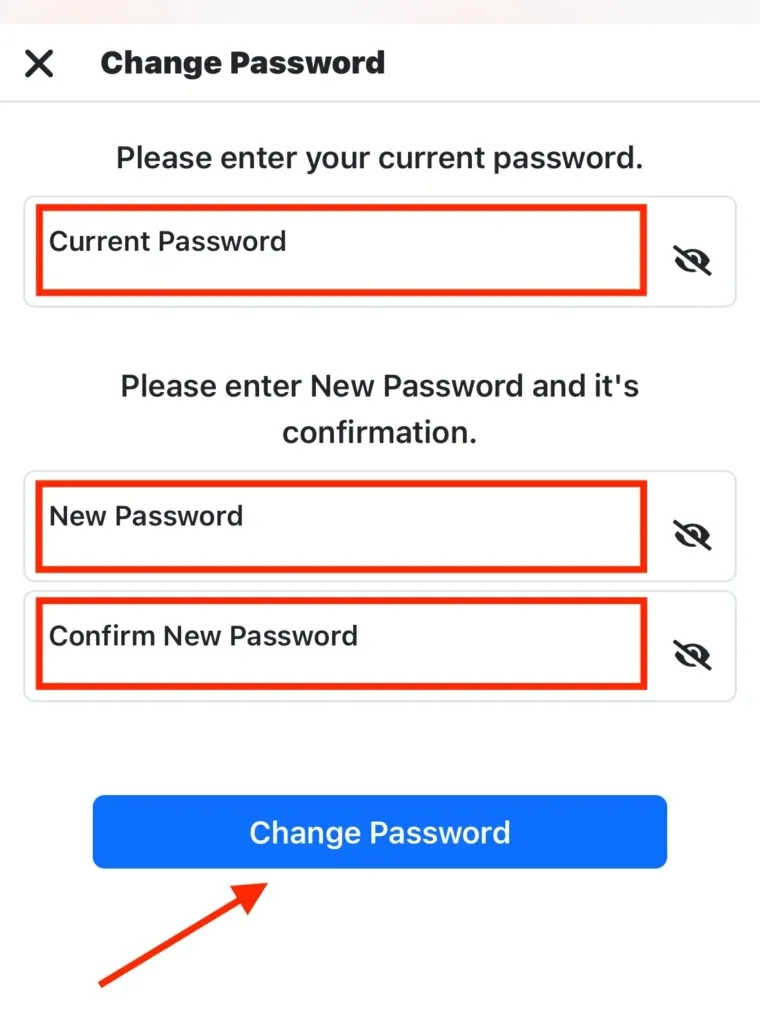
Finally, click the “Change Password” button to update your PropMall Access with the new password.
Was this helpful?