
How Do I Mark a Listing as Sold?
After logging into PropMall and accessing your Profile Page, follow these steps:
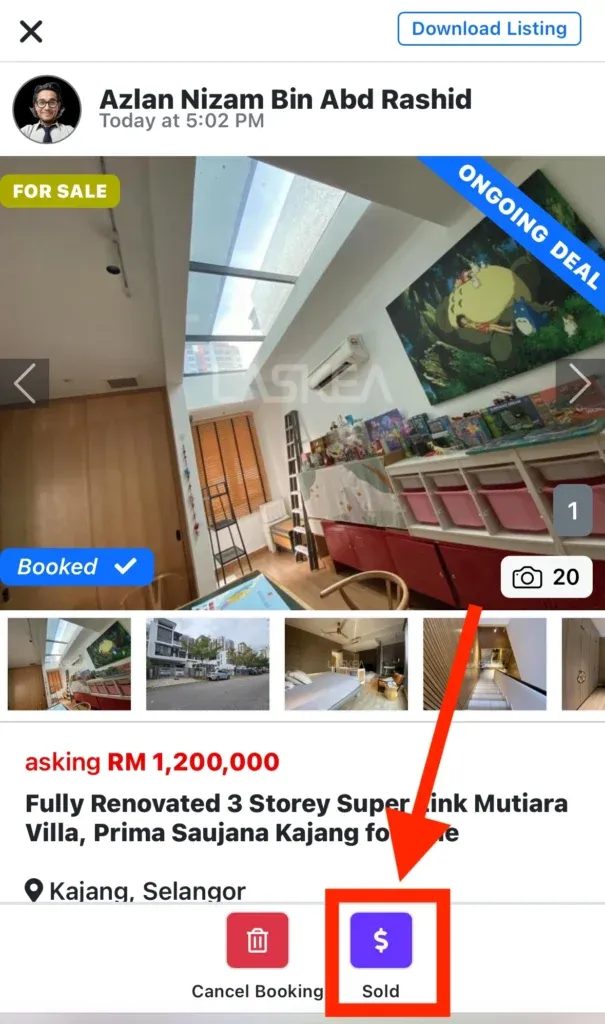
Select the listing you want to mark as sold. You’ll be directed to its detail page. Typically, this would be a listing that was previously marked as Booked.
Click the “Sold” button to change the listing’s status to Sold.
Please note that “Sold” indicates the Sales and Purchase Agreement (SPA) has been signed and stamped—signifying that the transaction has been successfully completed.
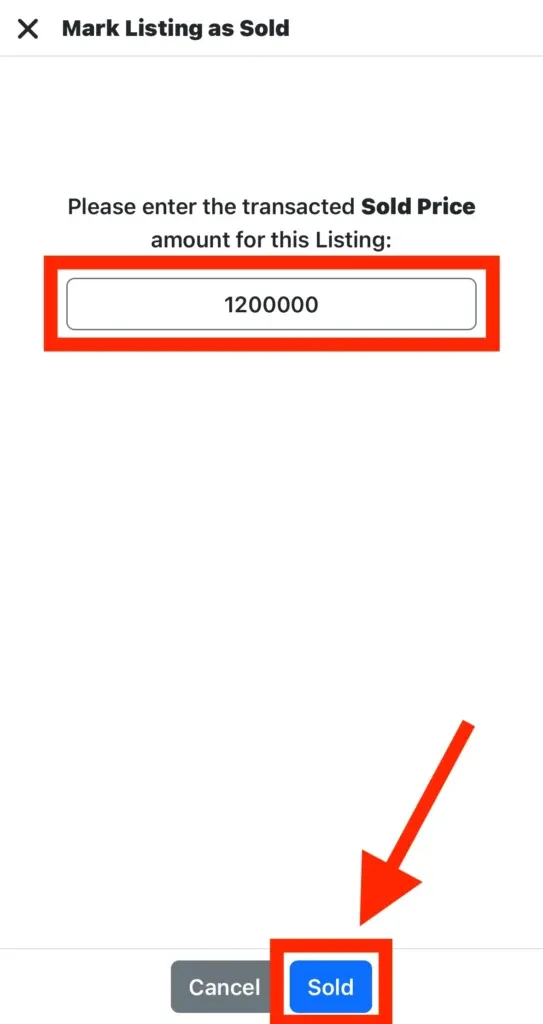
Enter the sold price, then click the “Sold” button again to confirm.
The PropMall system has successfully marked your listing as sold.
Was this helpful?