
How Do I Handle a Cancelled Booking?
After logging into PropMall and accessing your Profile Page, follow these steps:
Select the listing for which you wish to cancel the booking. You’ll be taken to its detail page—typically, this would be a listing that was previously marked as “Booked.”
Click on the listing for which you want to cancel the booking. PropMall will display the listing’s information page.
Click the “Cancel Booking” button to change the listing’s status.
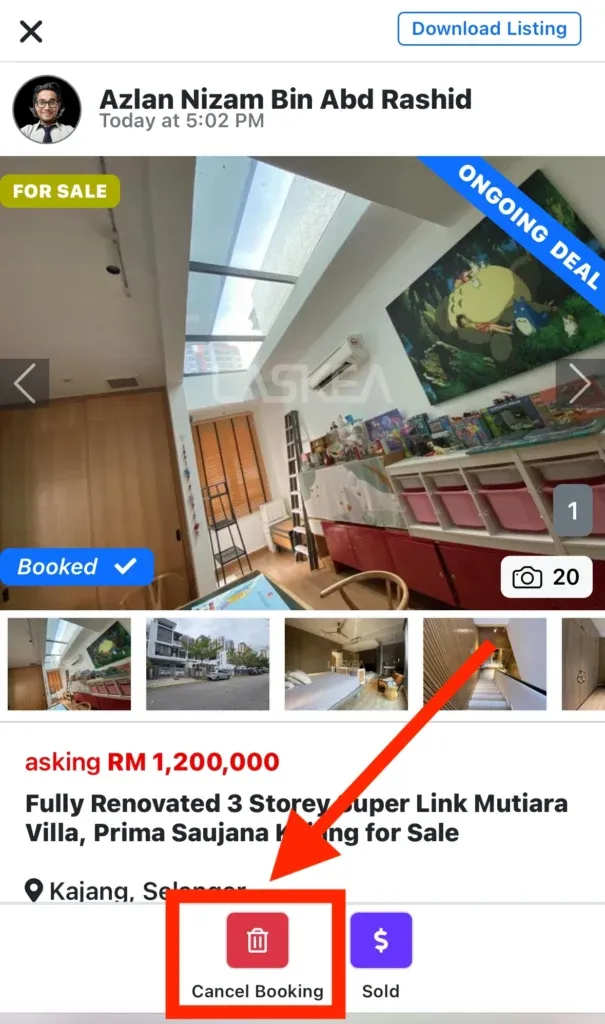
The listing will now be marked as available again.
Was this helpful?