
How Do I Mark a Listing as Booked?
Assuming you’re already logged in to PropMall and currently on your Profile Page.
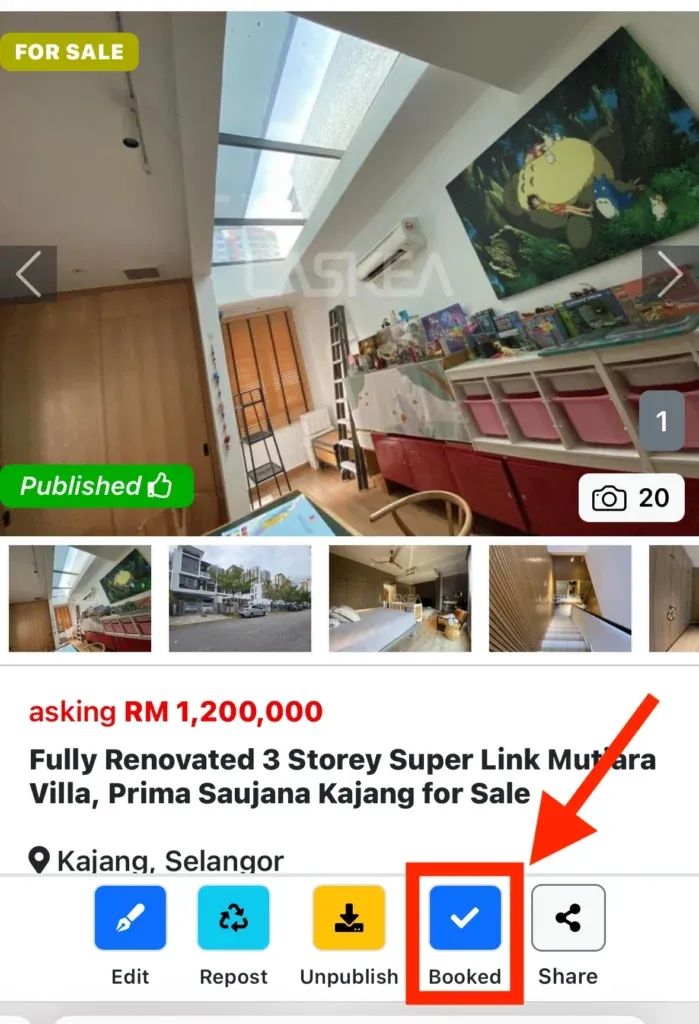
Choose the booked listing. PropMall will then display the listing’s details page.
Click the “Booked” button to confirm the listing’s booking status.
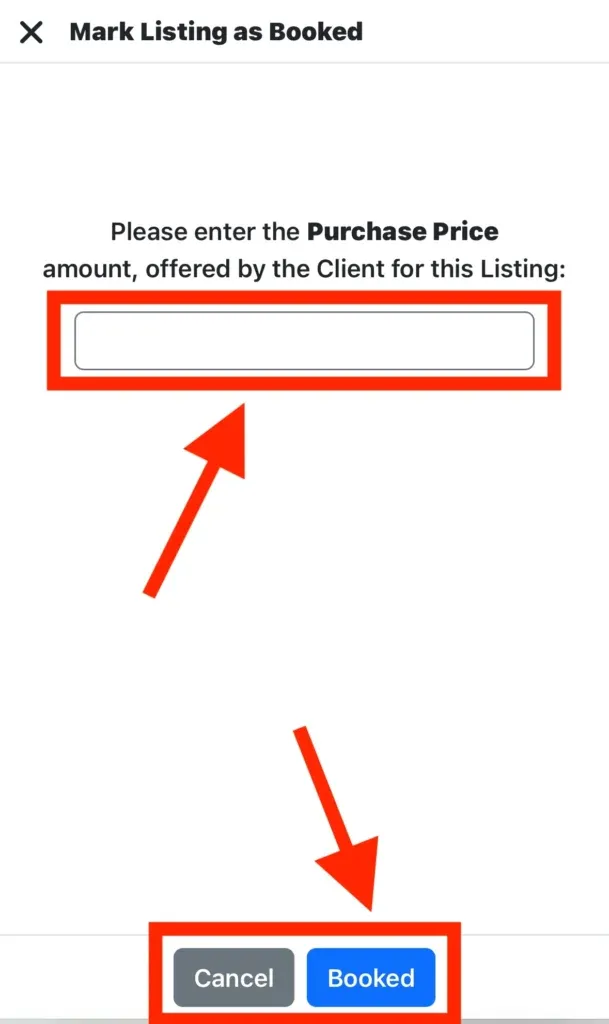
Enter the purchase price figure, then click the “Booked” button again to save the booking details.
PropMall has now marked your listing as booked.
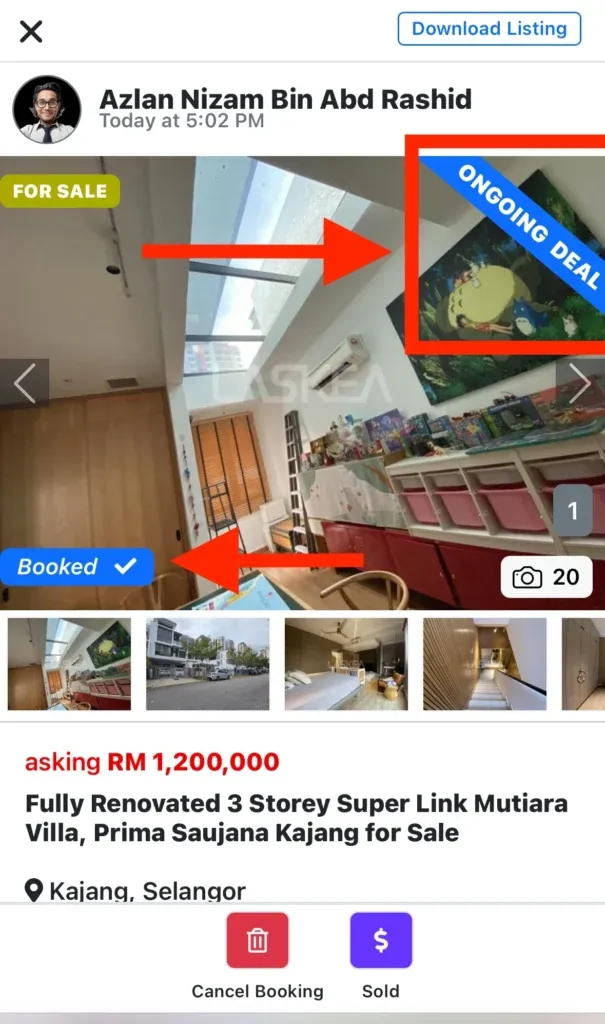
PropMall will display an “ONGOING DEAL” ribbon and mark the listing with a “Booked” status as shown in the picture above.
Note: The “Booked” status indicates that a purchaser or tenant has made an offer, and the vendor or landlord has accepted it. This is typically formalized through an Offer to Purchase form.
Was this helpful?