
How Do I Unpublish a Listing?
Assuming you’re already logged in to PropMall and currently on your Profile Page.
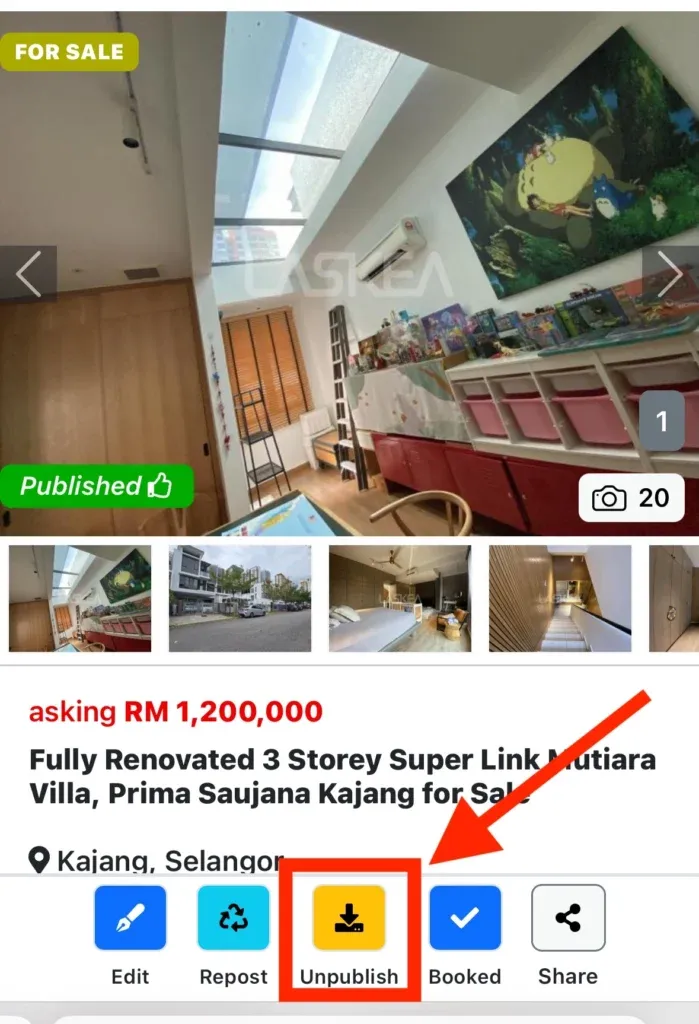
Click on the listing you wish to unpublish. PropMall will then display the listing’s information page.
Click the “Unpublish” button to remove your listing from public view.
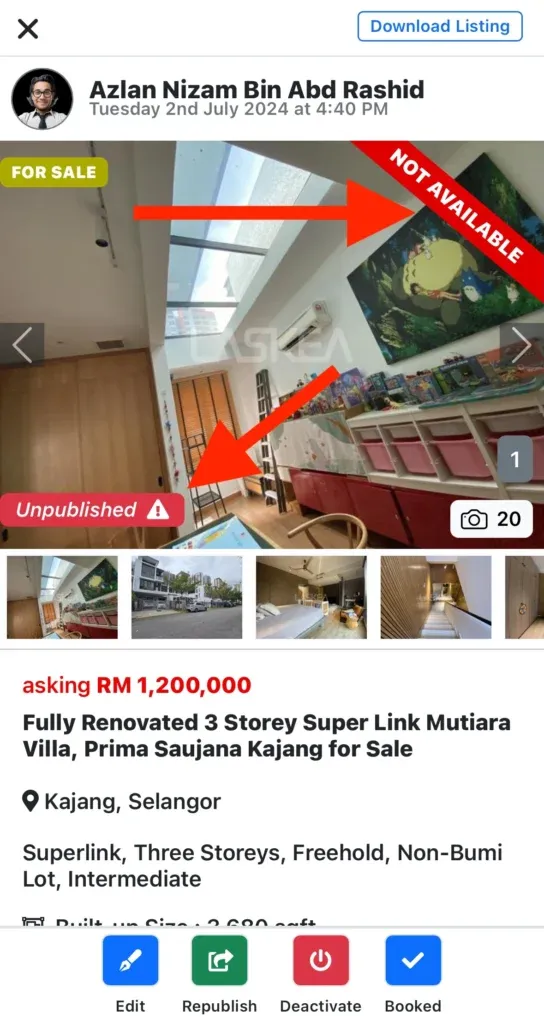
Your listing has now been unpublished from PropMall.
- The listing will no longer be visible on the PropMall.my website.
- The listing will no longer appear on the agent’s website at PropMall.my/username.
- The agent’s personal custom domain website will display the listing with a “Not Available” badge in the top right corner.*
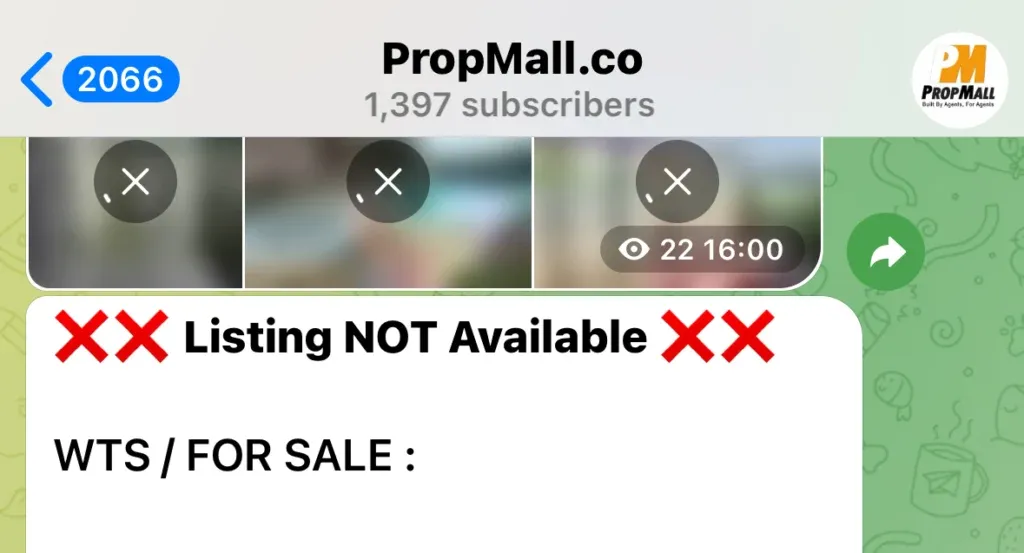
- LaskeaBot will send a priority notification with the message “Listing NOT Available” to the agent’s personal Telegram.*
- The PropMall.co Telegram Channel will update the listing post with a “Listing NOT Available” status at the top.
- The agent’s personal Telegram channel will update the listing post with the “Listing NOT Available” status at the top.*
* Available only for users with a Premium Subscription.
Was this helpful?